Categories
E-commerce

Shopify and Woocommerce: What are their Differences?

[vc_row][vc_column][vc_column_text]

Ecommerce   Store

It’s  great to involve on your new ecommerce business with lots of big ideas. First step- we suggest to  focus on the most practical stage of your ecommerce business plan first.

For beginners, you really need a simple online store to sell your products. A basic store theme on a reputable platform like Shopify, Woocommerce or  Magento serve this purpose perfectly well.

Shopify and WooCommerce are two of the most popular ones,  and  we are  going to compare both platforms and their key functions,  by the end of this article you should  have a  much better idea which one is the best  platform  for  your ecommerce  business.

In this article, we are going to  point out Shopify and Woocommerce according to  following:

  • Ease  of use
  • Host  solution
  • Design
  • Pricing
  • Features
  • Support
  • Security

Easy of  Use

[/vc_column_text][/vc_column][/vc_row][vc_section][vc_row][vc_column][vc_headings borderclr=”#000000″ align=”left” title=”How easy is to build an e-store on each platform?” titleclr=”#000000″][/vc_headings][vc_empty_space height=”10px”][vc_column_text]Shopify  is the best choice  here!   Shopify has all-in-one e-commerce platform,  it easy to  launch  a store  from  nothing  to a  fully functional store  ready to process  payments and  accept  online orders.

Shopify  provides more  slightly  clean and modern design.   The templates,  widgets make  easy  to set up a store, add  products, making many  visual variants,  user friendly shopping cart  solutions designed  for  major merchants  with very little  technical skills.

Simply and  direct, all  you need is to open an account at Shopify

Hit the signup button, go through a basic setup wizard, and you’re done.

The process is very straightforward, once you get through that initial wizard, you will get access to the main dashboard. It’s from there that we can create your new eCommerce store, add new products, and so on.

On the other hand, Woocommerce  isn’t easy of use and  straightforward as Shopify. 

Woocommerce  is an  open-source WordPress plugin and not a subscription-based platform like Shopify, which means that we need to handle two  or more configurations before we  can build an online store itself.

Basically, we need the following steps:

  •   Domain name
  •   Get a  web hosting account
  •   Install a  WordPress
  •   Install  a chosen theme  compatible with Woocommerce.

From there,  we  can start  to work on the configuration of the ecommerce store.  Unfortunately, these  steps require some level of skills in order to make  the online store operable.

[/vc_column_text][/vc_column][/vc_row][vc_row][vc_column][vc_column_text]

Host Solution

[/vc_column_text][vc_headings borderclr=”#000000″ align=”left” lineheight=”2″ title=”WooCommerce and Shopify take two different approaches:” titleclr=”#000000″][/vc_headings][vc_empty_space height=”10px”][vc_column_text]Woocommerce:

  • Domain name and hosting are not included.
  • SSL support-   we need to buy  a certificate, which includes basic security features to protect your store.
  • File  storage depends on the web hosting  provider.

[/vc_column_text][/vc_column][/vc_row][/vc_section][vc_section][vc_row][vc_column][/vc_column][/vc_row][/vc_section]
Categories
Google Adwords Google Analytics

Google Analytics: Entry-Level Navigation

Why Should We Care to Use Google Analytics (GA)?

Recently, I have received a number of questions asking about SEO and Google Analytics, however, it seems that Google Analytics creates a big barrier to entry-level, i.e, you must learn how all new concepts work together so you can understand your own data.

While I provided some initial thoughts on each post that arrived, I tried to make more simple to understand the main terminology behind and its functionality.

What is Google Analytics?

Google  Analytics (GA) is a free web tracking tool offered by Google that provides real-time reports and insights about the traffic and general behavior of users on a website.

As a business owner, it’s vital to understand the importance to drive significant traffic on your website, and conducts your content for online success. But it can seem daunting if you don’t know where to start.

Google Analytics uses a vocabulary and certain terms to help us to analyze our website traffic data.  To become more familiar with these terms, we introduce the terminology most used.

Terminology

Terms like userssessions, page views and segments have all been used by web analytics tools in the past, but Google Analytics was the first to combine them into a platform.

Along with this post, I will explain a few of the terms from the perspective of a first visitor, and other ones from the perspective of the software.

How does Google Analytics Work?

All you need to do is a sign up for a Google Analytics account click here and copy and paste the provided tracking URL into  Head section of your Website and start to monitor the data in the dashboard.

We discuss a few key behavior and acquisition metrics, but Google Analytics can measure hundreds of metrics on your website, please consult here for more details.

The code records various activities of your users when they visit your website such as age, gender, demographics, interests, behavior etc.

Google Analytics Basics


It then sends back all that information to the GA (Google Analytics) server once the user exits your website.

Next, Google Analytics aggregates the data collected from your website in multiple ways, primarily by the following:

  • Users –  are individual people that visit your site. GA determines this via a browser cookie- a tracking ID based on the browser from the user’s computer.
  • The Session level-    when a user makes a visit to your domain as a whole.
  • Pageview level-  within the session, a user can visit multiple pages,  such as Home, blog, contact, products page. The first visit page is called Landing Page.
  • Events level-  when a user makes trigger such as a click or watch a video.
  • Bounce Rate – The Bounce Rate metric shows you the percentage of website visitors who bounced back from your website. That means that they left your site immediately after landing on one of its pages, without navigating any further.
  • Goal Conversion Rate – Google Analytics measures the conversion rate of each and every one of your goals and then shows you the sum of their conversion rates.

Setup   Goals

Goals in Google Analytics let you know how often users take or complete specific actions on your website that convert to the desired task.  For example, if you want to measure the activity for an inquiry, view a product,  or make an appointment.

Let’s say,  for instance,  you have a contact form on your website that you use to capture leads for your business, then create a custom page on your website that thanks users for submitting their contact information. Then set up that page as a destination goal called “Contact Form”.

Beyond that,  Google Analytics provides other metrics like measure the site performance to ensure that website pages load quickly. It has many specialized metrics for e-commerce stores as well. Also, connect to AdWords to measure the behavior of users that visit your site from pay-per-click (PPC) ads and so on.

Moving forward, we’ll show the walk-through for each level described on the google analytics dashboard on the next post.

Lastly,   I hope you can open a Google Analytics account and take the advantage to make your website as effective as possible, and discover which data helps the marketing plan and user experience performance.

That brings us to the end of our first guide to Google Analytics Navigation.

Categories
Google Adwords Google Analytics

Startup with Google Adwords

Is Google AdWords right for Small business?

AdWords is Google’s Paid Advertising (PPC- Pay Per Click) product.

AdWords can be a good method of driving traffic, marketing your product or service and eventually getting increased sales and visits.   You can imagine  the following scenario:


When a potential customer is looking for a product, service, promotion, or anything related to.  That Customer is googling in the Search box for the specific keyword and  such customer is looking for you, and Adwords can get you found.

If you’ve ever a chance to work with a marketing specialist or done a Google search, you’ve probably had someone tell you to use Google AdWords.

The majority of business wants to be found on the first page of Google. Getting seen by customers at the exact time they are looking for your information, products, services, deals or location is intent marketing.

However, small business hoping to organically get on the top (10) ten search results is difficult, you have to recognize your business is competing with career-long, experienced, motivated SEO experts.

With Google AdWords, you can put your business name / brand almost on the same level, no matter how long your business has been around in the marketplace. You can get your message viewed by your market when they’re searching for your specific product, service or offer.

How the Ads show on Google?

Ads may appear when someone types a search query,  for example, “web design”  into Google. Companies advertising will bid for keywords related to “web design industry“.  Within a  few seconds, Google enters thousands of keywords and ads into an “auction” to determine which of them have the most relevant information to the search query, and the “winning ads” are what is served up at the top of the results.

Google Auction  Website
Google Auction Website

Do Google Ads Worth?

Google Adwords may or may not suitable for your business.  In the majority of the cases,  google ad is effective, as long as you have knowledge enough to use the best keywords and target cost per click ad (CPC) efficiently. 

If you are looking to exposure and drive traffic to your website,  the ads can connect with potential customers and you have a chance to appear on the first page of the google search engine.
Otherwise, alternative like SEO techniques can take several weeks or months depending on your competitors in order to show up your site on the firsts pages of Google. 


If you need help with your Paid Search don’t hesitate to contact us.


Source: Google Analytics Marketing Platform: https://marketingplatform.google.com/about/analytics/

Categories
Website Builder

DIY Website?

As a professional web designer I hardly had looking for a website builder myself, however, I  am aware that most clients don’t know how to make a website from scratch.

The purpose of this article is to look into some of the options since I get so many questions about them from my clients.

What is a Website Builder?

Essentially, website builders are an all-in-one platform that let the beginners build a site easier, without needing to know coding or technical skills.

Website builders are web-based, meaning you do not need to download or install software, you just need a browser (such as Google Chrome, Firefox or Safari) and an internet connection to start building your website.

Website builders come with a range of features such as uniquely designed website templates, drag-and-drop editors that allow you to easily add elements to your website and ‘built-in’ hosting services.

Although it sounds automatic, a good website builder can deliver a professional looking site that uses mobile-friendly best practices, integrates with social media and e-commerce tools, and seamlessly updates to stay current and secure.

Websites builders  are a  good option for people who:

  • Ease of use.
  • No behind-the-scenes coding experience is required.
  • Have a small site-design budget.
  • Need to launch a website quickly.
  • Who is setting up their first site

The website builder will include templates for all types of use cases,  such as bloggers, small business owners, and online retailers can all get professional looking sites up and running fast.

The platforms offer an intuitive design with drag and drop editors that enable you to design your website by selecting elements from a menu (such as an image or a form) and dragging them to your web site’s page on your screen.

The services even let you include items such as social share buttons, photo galleries, blogs, and media players.

Free Website Builders

Website builder platforms – such as WixWeebly, and  Squarespace – are ideally suited to small business owners seeking a cost-effective solution to managing and marketing their business’s online presence.   These platforms are among the most generous with their free offerings If you choose that path.

Once you’ve chosen a template for your site, you need to make it your own. Most site builders let you tweak the color scheme, fonts, and page layouts, as well as add new pages.

Usually,  the website builder offers page-templates for the most commonly used types, for instance,  About, Contact, Products, Galleries, FAQ, Blog, and so on.

Then publishing your website. You can either publish your site on a free plan (includes a non-unique domain and website builder advertising on your site) or upgrade to an advanced plan, which includes unique domain and no advertising, plus additional features.

Cons of Website Builders?

No questions about how Website builder make a well-designed, mobile-friendly site with minimal technical knowledge.  However, website  builder may not be the best choice if you need:

  • Highly customized site code and functions.
  • A fully customized template and theme.
  • Web servers to load your site at the highest possible speeds.
  • Regular access to site backups
  • Site updates.
  • if you decide to move your website to another web hosting,  you’ll likely be out of luck because of the custom code they use to display your site is difficult to transfer to another platform.

If your site needs any of these elements, you may be better off using a CMS like WordPress or hiring a web Designer designer and this is something you should check before selecting your chosen platform.

Looking for more advice and possible alternatives to DIY website building? Check out our next post,  Selection a WordPress  Theme.

DIYWEBSITEWEBDESIGNER


Categories
Membership Wordpress

WHAT IS A MEMBERSHIP SITE?

A membership site is a site where some content is available only to members who have logged in. To gain access to this content, visitors usually have to pay to join as a member.

Membership sites often include user-submitted content. The site where I got a slider photo is a membership site: you sign up and pay for a subscription that lets you download photos.

Another example is newspapers that put up paywalls are also membership sites. Some sites combine membership with other tools, such as learning management or social networking.

There are a lot of different models for a membership site, so it can be difficult to know how you should set it up.  For example, a membership site can mean many things, including:


  • Industry publications (white papers, surveys, reports), and newsletters
  • Courses, webinars, and guides
  • Private member directory (especially for associations and business groups)
  • Exclusive invites to events and conferences
  • Discounts on products/equipment/services for a specific industry or geography.


How do you build a membership site?

There are almost as many different ways, from plugins to third-party services to custom code. We’ll talk about some general considerations when planning and building such a site and some popular membership and content restriction plugins–which are easy to use, which are easy to customize, and so forth.

There are a number of options for building your membership site, in most cases, you’ll be looking at one of two choices:


  • Cloud Platforms: This option enables you to get up and running quickly without wrestling with tech. However, it’s important to remember that with such services, you’re simply renting someone else’s platform. You sacrifice a lot of control over your membership in exchange for convenience, and this comes with costs that are not monetary.
  • WordPress with a  Membership Plugin:   This option you complete control over your site and greater flexibility in terms of how your website looks and functions. However, this does mean that unless you’re hiring a web developer to help, you’ll need to build and maintain the site yourself.

Up to date, we have a wide selection of WordPress plugins specifically built for membership sites to handle paymentuser registration, and content protection.

There are a lot of good reasons for building a membership site. Perhaps you want to create a private area for your clients, demonstrate your knowledge of a certain topic, develop a new course or share your passion and interests. Or maybe you’re simply looking for a new way to work online.


Benefits:

Extra Money

A membership site especially takes a lot of time to set up and get running. However, what a membership site does give you is a regularrecurring income that can give you the extra money you need to make your life more comfortable. And that’s without having to worry about driving more traffic to your site.17

Imagine having just a few, let ‘s say  50 members paying you $19.99  a month,  You can end up with almost $ 1,000 a month. A steady stream of income every month is what most Internet marketers strive for.

Use your Knowledge and become a Specialist

If you’ve trained for a career or spent years learning on the job, then you have a lot of knowledge you can pass onto your audience.

There’s a lot to be said about sharing from the wealth of your knowledge.  And, After all, it’s one of the main motivation ways to showcase your expertise and let people know that you’re the master.

For instance, within a membership site, you can create courses with content that builds on itself. It allows you to go much deeper than you could in, say, a blog article or a podcast.

You might create some introductory courses, then build on that basic info to lead for free and to more advanced course material paid.

If you already are a speaker, author or another kind of expert, a membership site can provide you with a commercial element that confirms your expertise and gives you something tangible to sell.

Build Loyalty and Respect 

When you ask someone to pay a membership fee to access your content, you’re also giving them a reason to focus their time and attention on what you’re trying to give them.

A customer becomes a member, you are providing a service and providing new information to that member on a daily, weekly or monthly basis. Doing this builds loyalty and respect. That is a solid foundation for a successful business!

Building a free subscriber base and then getting them converted to ‘paid members’ is only half of the job.

If your members are going to keep paying you every month you better make sure to provide them with valuable, up to date, and fresh information.

Ready To Build Your Membership Site?

Whether you’re building a site for yourself or a client, being clear about the type of membership site you’re building, how billing will happen, what members should get, and how you communicate with members will help you determine the best tools and setup for your site.

Best of success building your membership website!


Categories
Wordpress

SELECTING A WORDPRESS THEME

As a web designer and developer, knowing where to search for online resources for tips, guidelines, tutorials, and other useful tools is pretty important. Building a website on WordPress can be one of the most rewarding things you do for your online presence or small business. Most beginners feel overwhelmed when it comes to select a theme for their WordPress site. There are thousands of free and paid options. Each theme looks better than the other.

HOW DO YOU CHOOSE THE BEST THEME FOR WORDPRESS?

It’s essential to take some time to look at on the right choice for your WordPress theme and make a checklist to ensure the one you choose has all the necessary components. In this article, we will guide you with some highlights that you should consider, so you can choose the best WordPress theme for your site. Now go grab a cup of coffee and enjoy reading.

DEFINE GOALS AND OBJECTIVES FOR YOUR WEBSITE

Before you jump into graphical and visual ideas, it is important to start with defining what success looks like for you and your future website. What are your goals and objectives? What do you need your website to produce?

  • Why is it important for you to have a website?
  • Who is your target market?
  • What do you want those users to gain by visiting your website?
  • How will you measure success?
  • Do you expect to make money on your website?

Thinking conceptually about your website’s objective is crucial to making sure you choose the right look, feel, and functionality for your visitors. WordPress has many themes that are specifically catered to each of the functions so you want to make sure that you’re looking in the right direction. The first criteria you should consider is the type or category of your business.

For instance, If you have a tech company, go to wordpress.org You can find a huge repository and look for tech themes. If you have a fashion business, look for fashion themes. This helps you to narrow down your search and you end up picking the theme which matches your overall purpose.

KEEP SIMPLE AND CLEAN

Have you ever walked into a department store and felt completely lost? That is what website visitors feel like when they visit a website with poor navigation, with moving components, unoptimized images galleries can sometimes overwhelm and confuse the user.

Besides the visual elements, a theme can affect the performance of your website. Choosing a theme with a lot of extra features or useless widgets can slow down your site’s load times and cost you traffic. Here are some tips:

  • Simple and super easy to use
  • Responsive which is an essential feature nowadays
  • Tested with cross browsers all the popular ones
  • Elegant styling
  • Simple WordPress theme has lots of white space
  • Fully documented for ease of use in times of confusion
  • Compatible with the latest WordPress version and tested
  • Coded as per latest theme review standards and security standards
  • Consider the Search Engines – Search Engine Optimization (SEO) is key to your website performing well in search results. The quality and consistency of your content, as well as the optimization of your metadata, affect your page ranking.

START WITH A FREE THEME

Startup owners are flocking in their thousands to platforms like WordPress. Why? Simply because WordPress is an open-source platform upon which great things can be built. There’s no shortage of examples of how startups have used WordPress to create websites. Many themes can be download completely for free.

Do a simple search on Theme Directory and find free themes that match your website’s criteria and then check out their demos to get a sense of how the theme would look with your content.

PREMIUM THEMES

When you are finding a WordPress theme for your website, along with the look and design, you should focus on many other aspects like the support, upgrade and many more. One of the advantages of paid themes is that they often include extensive documentation and support options. This can be important if you run into an issue that you can’t resolve on your own.

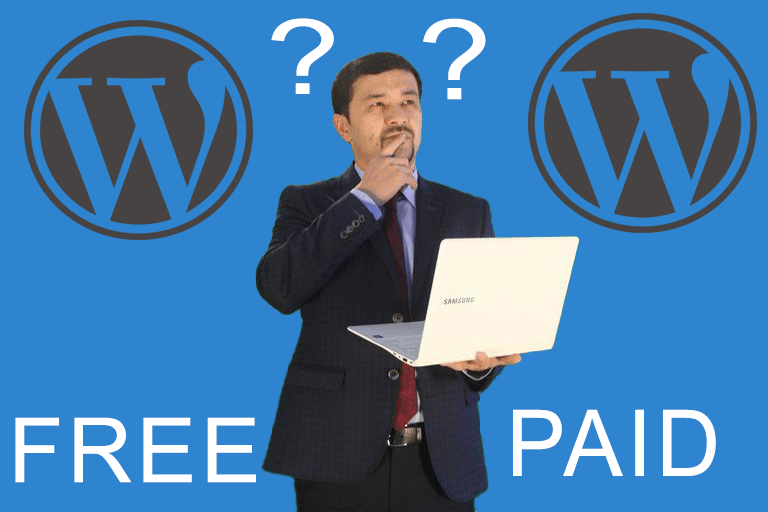
SHOULD YOU GO FOR A PREMIUM OR FOR A FREE THEME?

wordpress free theme versus paid theme

Since there’s no such thing as a free meal, there are quite a few holdups to consider when it comes to using a free WordPress theme. Let’s say you’ve done your research, and you’ve found a theme that is 90% perfect. For instance, you like the layout of the pages, how the menus function, and the overall design of a theme, color but the fonts aren’t quite what you had in mind.

  • A free theme has limited features and no extra functionality, which many larger and more professional websites require.
  • The quality is generally high since theme authors must check bugs to prevent theme returns and unsatisfied customers.
  • Some free themes have over 1 million downloads! Free themes are not unique when compared with premium themes
  • A portion of the themes on the WordPress repository site isn’t updatedwhich might render them incompatible with frequent version updates of WordPress.

BEST SOURCES FOR PREMIUM THEMES

Not sure where to start your search for the perfect premium WordPress theme? Fortunately, you have many companies to choose for your WordPress theme search. We’ve compiled a few of trusted theme marketplaces.

A free or premium WordPress theme has its advantages and disadvantages, but choosing which one to install ultimately depends on your website’s needs and the website owner’s budget and aesthetic preferences.

Know that it’s completely OK to start with a free WordPress theme and upgrade down the road as the need arises. Why? Because only you will know which one will serve as the best reflection of the business you’re building the site for your objectives.

Hopefully, this guide can get you started in deciding which WordPress theme will work best for your needs in terms of quality, convenience, cost, support, etc.  What questions do you still have about WordPress right choice? Contact us and we’ll help you make a decision!